

What Is a Physical SIM Card? How It Works & SIM Types Explained
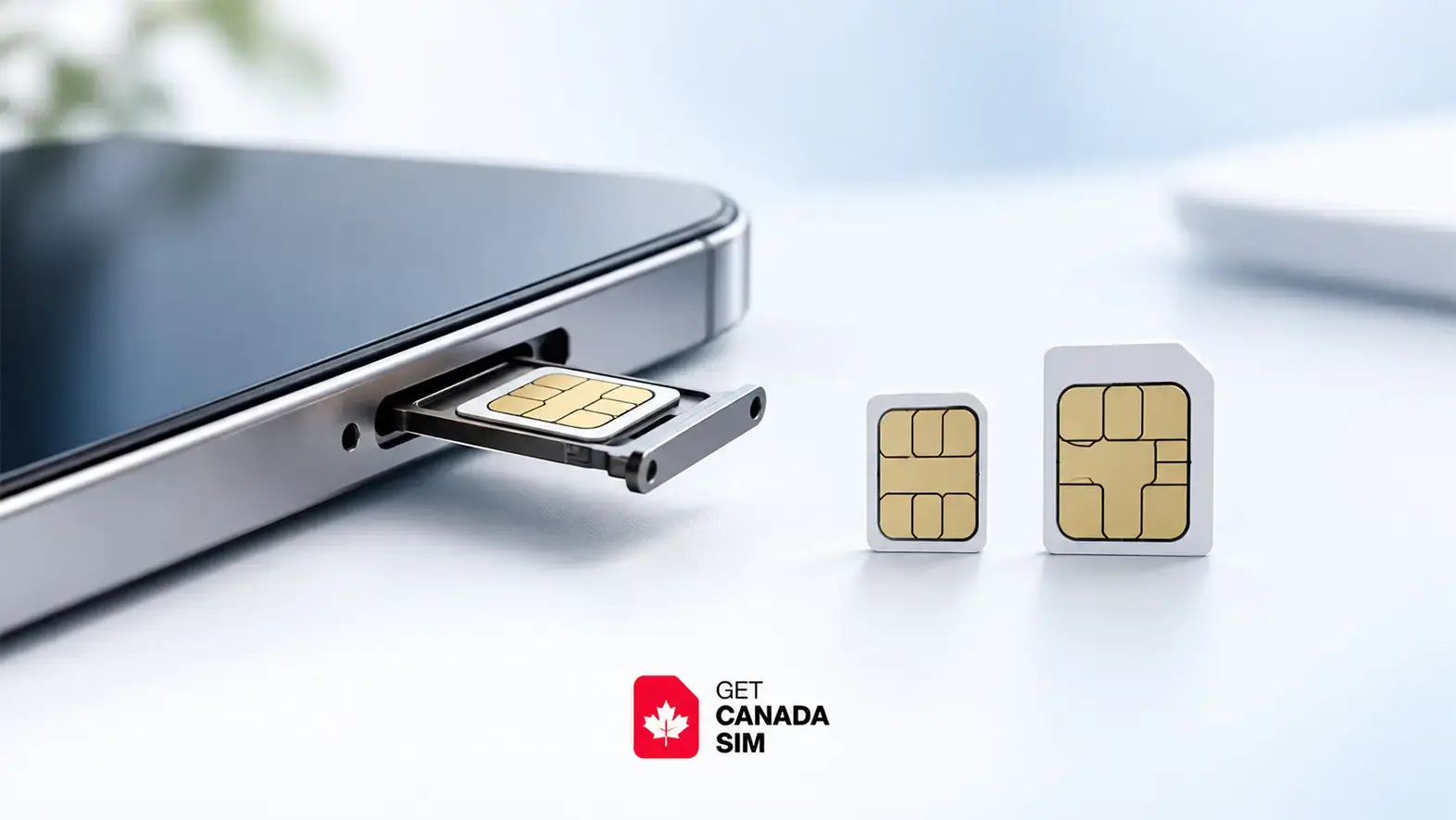
A physical SIM is a small, removable card that connects your phone to your mobile carrier. You insert it into your phone's SIM tray, and it identifies your mobile subscription so your device can connect to the carrier's network.
Most modern phones that still use a physical SIM take a Nano SIM. Older phones may use the larger Micro SIM.
Quick answer: A physical SIM and an eSIM perform the same basic job. A physical SIM is a removable card, while an eSIM is built into the device and set up digitally.
What Is a Physical SIM?
A physical SIM, or Subscriber Identity Module, is the removable SIM card placed inside a phone, tablet, or other cellular device.
It allows your mobile carrier to identify your subscription and connect your device to its network.
A physical SIM can be removed and, when compatible, moved to another phone. This is one of the main differences between a physical SIM and an eSIM, which is stored digitally on the device.
How Does a Physical SIM Work?
A physical SIM provides the secure information your carrier uses to recognize your mobile subscription.
The basic process is:
- Insert the SIM into your phone's SIM tray.
- Turn on the phone.
- The phone reads the SIM.
- The SIM helps authenticate your subscription with the mobile network.
- Your phone connects to the network when the device, SIM, and service are compatible.
The SIM itself does not create the mobile network. Your phone still needs a compatible carrier, supported network technology, and an active mobile plan.
What Does a Physical SIM Look Like?
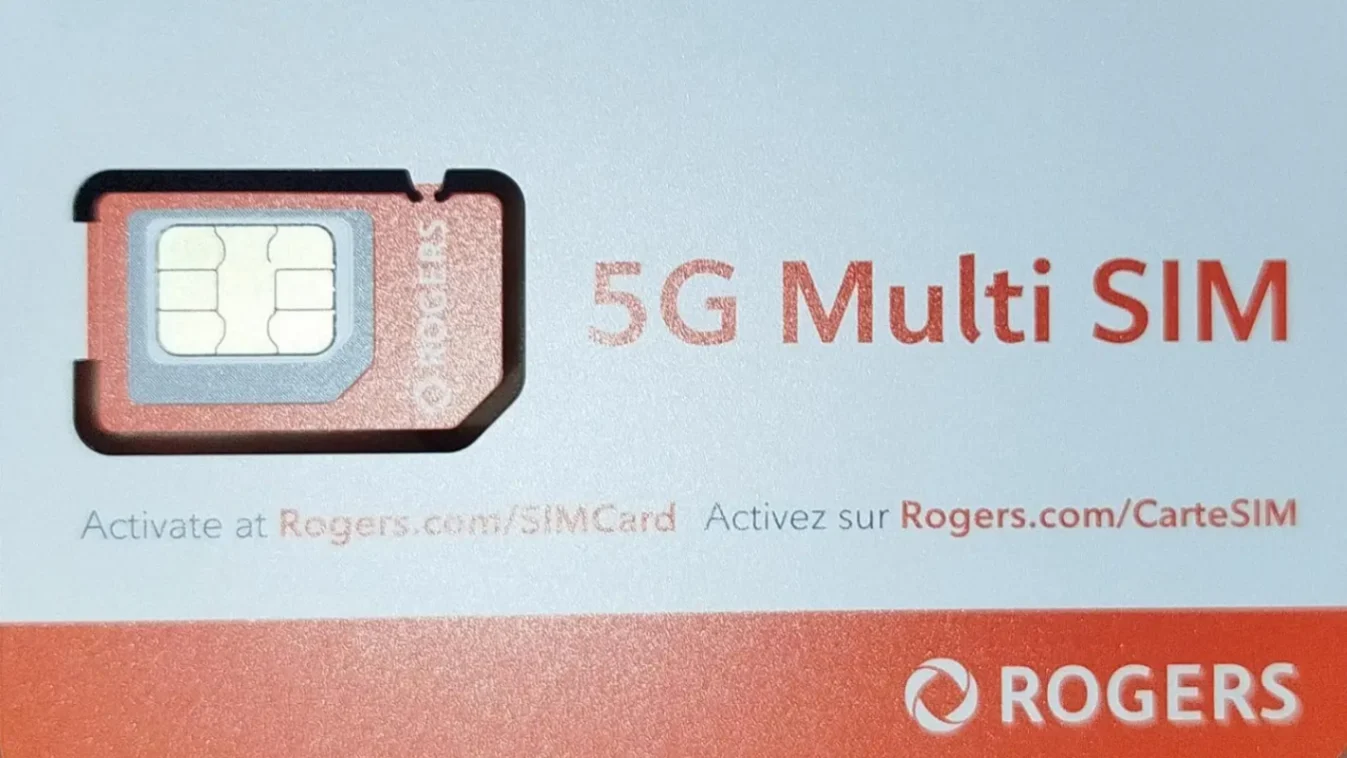
A physical SIM is a small plastic card with a visible metallic contact area.
Modern SIM cards are much smaller than the original SIM cards used in early mobile phones.
The three common sizes are:
| SIM type | Size | Commonly found in |
|---|---|---|
| Standard SIM | 25 × 15 mm | Much older phones |
| Micro SIM | 15 × 12 mm | Older smartphones and tablets |
| Nano SIM | 12.3 × 8.8 mm | Most modern phones with SIM trays |
The electronic function is broadly the same. The main difference is the physical size of the card.
What Is a Nano SIM?
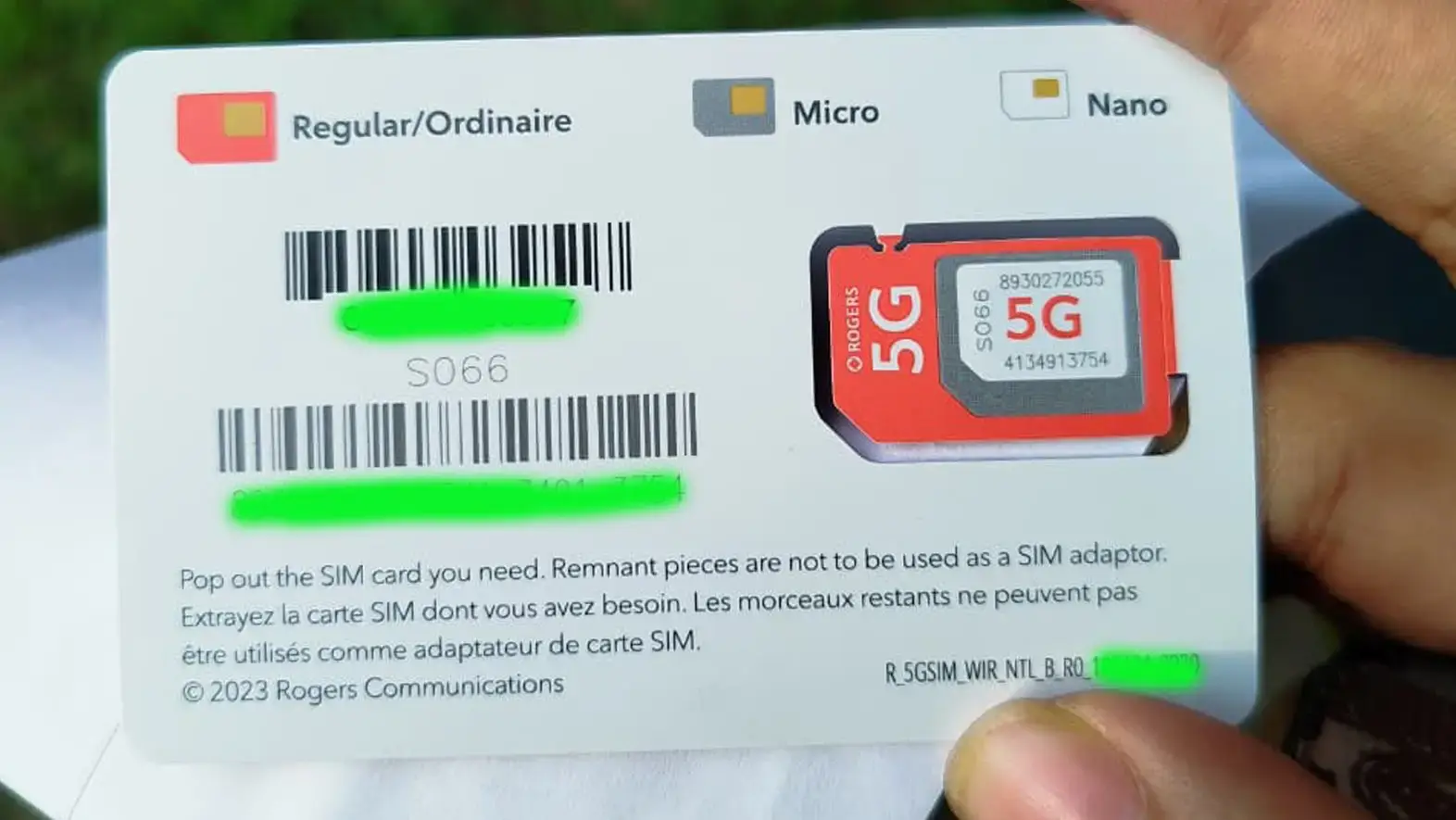
A Nano SIM is the smallest widely used removable SIM card format.
Most newer smartphones that still have a physical SIM slot use Nano SIM cards.
A Nano SIM measures approximately 12.3 × 8.8 mm and fits into a dedicated SIM tray.
What Is a Micro SIM?
A Micro SIM is a larger physical SIM format commonly found in older smartphones and tablets.
It measures approximately 15 × 12 mm.
You should not force a Micro SIM into a Nano SIM tray. Check the device specifications to confirm the correct SIM size before inserting one.
How Do I Know Which SIM Size My Phone Uses?
Check the exact model of your phone rather than guessing from the brand.
You can usually find the required SIM type by:
- Checking the manufacturer's specifications for your exact phone model.
- Looking at the SIM tray.
- Checking the phone's user manual.
- Asking your mobile carrier.
Most newer phones with removable SIM trays use Nano SIM, but there are exceptions.
If you are planning to use the phone in Canada, you can also check whether your phone will work in Canada, including device compatibility and IMEI checks.
What Is a Physical SIM on an iPhone?
On an iPhone that supports a removable SIM, the physical SIM is the Nano SIM card placed inside the SIM tray.
Apple says supported iPhones can use a Nano SIM from a carrier, but physical SIM availability depends on the iPhone model and the country or region where it was sold. Some iPhone models use eSIM instead of a physical SIM.
How do I know if my iPhone has a physical SIM?
Look for a SIM tray on the side of your iPhone.
If there is no SIM tray, check the specifications for your exact iPhone model and region. Do not assume two phones with the same general model name have identical SIM configurations.
If you also want to check its digital SIM capability, see how to know if your phone supports eSIM.
What Is a Physical SIM on a Samsung Phone?
On a Samsung Galaxy phone, a physical SIM is the removable SIM card inserted into the device's SIM tray.
Many modern Galaxy phones use Nano SIM cards, while some models also support eSIM. The available SIM configuration can vary by device model, carrier, and country. (samsung.com)
How do I check my Samsung SIM setup?
On many Galaxy phones, go to:
Settings → Connections → SIM manager
You can also check the physical SIM tray and your exact model specifications. Our eSIM-compatible devices list covers Samsung, iPhone, Google Pixel, and other supported phones.
How Do I Know If I Have a Physical SIM?
The simplest way is to check whether your phone has a SIM tray containing a removable card.
Look for a small tray on the side or edge of the phone. It normally has a tiny hole that allows the tray to be opened with a SIM eject tool.
If you are unsure:
- Find your exact phone model.
- Check the manufacturer's specifications.
- Look for a SIM tray.
- Check the SIM or cellular settings on your phone.
Having eSIM support does not necessarily mean your phone has no physical SIM. Some phones support both.
Do All Phones Have a Physical SIM?
No.
Phones can generally fall into three groups:
- Physical SIM only
- Physical SIM + eSIM
- eSIM only
The exact setup depends on the phone model and sometimes the country or region where it was sold.
For example, Apple notes that physical SIM support is not available on every iPhone model.
Do I Need a Physical SIM in My Phone?
Not necessarily.
You need a way for your phone to connect to your mobile subscription, but that can be through either:
- a physical SIM, or
- an eSIM on a supported device.
If your phone and carrier support eSIM, you may be able to use mobile service without inserting a physical SIM.
Can I Buy a SIM Card and Just Put It in My Phone?
Often, yes, but first check that your phone and SIM are compatible.
Before inserting a new SIM, confirm:
- Your phone is unlocked. A carrier-locked phone may reject another carrier's SIM.
- The SIM size fits. Most modern phones use Nano SIM.
- Your phone supports the carrier's network.
- The SIM or mobile plan is activated correctly.
If you are unsure about the first step, see how to check and unlock your phone before travelling to Canada.
Buying the correct SIM does not automatically guarantee that every phone will work with every mobile network.
Are Text Messages Stored on the Phone or SIM?
On modern smartphones, your text messages are generally stored on the phone or synchronized through supported backup or cloud services rather than relying on the SIM card.
SIM cards can have limited storage capabilities, particularly in older systems, but you should not treat your SIM card as a backup of your text-message history.
Moving your physical SIM to another phone therefore does not normally move your complete message history with it.
Can I Use a Physical SIM and an eSIM at the Same Time?
Yes, on phones that support the required Dual SIM configuration.
For example, a compatible phone may allow:
- Physical SIM: your first mobile line
- eSIM: your second mobile line
You may then choose which line is used for cellular data, calls or messages.
However, the number of lines that can remain active at the same time depends on the phone model, carrier and configuration.
If you plan to keep two numbers active, our guide explains how to use Dual SIM in Canada.
Do I Need to Turn Off My Primary SIM When Using an eSIM?
Not always.
If your phone supports Dual SIM, you may be able to leave both lines turned on.
For example, you could keep one SIM available for calls or texts while using the other for cellular data.
When travelling, check your cellular data and data-roaming settings carefully so your phone does not use an unintended line for roaming data.
Physical SIM vs eSIM: What Is the Basic Difference?
Both are ways of connecting your mobile subscription to your phone. The main difference is how the SIM is provided and installed.
| Physical SIM | eSIM |
|---|---|
| Removable card | Digital SIM |
| Inserted into a SIM tray | Added digitally |
| Can be physically removed | Built into the device |
| Can often be moved between compatible phones | Transfer method depends on device and carrier |
| Requires a physical SIM slot | Requires eSIM support |
Neither format automatically gives you stronger signal, faster mobile data or better network coverage simply because it is physical or digital.
If you are trying to decide which format is better for you, see our separate guide: eSIM vs physical SIM: which is right for newcomers to Canada?
Are Physical SIM Cards Being Phased Out?
Physical SIM cards are becoming less necessary as more phones and carriers support eSIM, but they have not disappeared.
Some devices and markets have moved further toward eSIM-only configurations, while many phones around the world still support physical SIM cards.
For example, Apple currently notes that some iPhone models use only eSIM while physical SIM remains available on other models and in other regions. (support.apple.com)
This means the change is happening gradually rather than every phone switching to eSIM at the same time.
Can I Still Get a Physical SIM Card?
Yes. Physical SIM cards are still available from many mobile carriers.
Availability depends on:
- carrier
- mobile plan
- phone
- country or region
Before ordering one, check whether your phone uses a physical SIM and which SIM size it requires.
If you are preparing for Canada, you can compare current Canadian SIM and eSIM plans after confirming which format your phone supports.
Physical SIM FAQs
What does a physical SIM mean?
A physical SIM is a removable card inserted into a phone to connect your mobile subscription to a cellular network.
Is a Nano SIM a physical SIM?
Yes. A Nano SIM is a physical SIM. It is simply a smaller SIM-card format used by most modern phones with SIM trays.
Is a Micro SIM a physical SIM?
Yes. A Micro SIM is also a physical SIM, but it is larger than a Nano SIM and is more common in older devices.
Can a phone have both eSIM and physical SIM?
Yes. Many compatible Dual SIM phones support both, although the exact configuration depends on the device and carrier.
Is a physical SIM required for mobile data?
No. A compatible eSIM can also connect your phone to cellular data without a removable SIM card.
Is a physical SIM better than an eSIM?
Neither is automatically better. They perform the same basic role but are installed differently. If you want to compare convenience, travel use, network performance and other differences, read our eSIM vs physical SIM guide instead.
Follow Get Canada Sim on Google
Make Get Canada Sim a preferred source to find our latest Canada SIM and eSIM guides in Google Search.